
Mecity Smart Toaster Review

Disclaimer: Please note that I am an Amazon Associate and I earn from qualifying purchases. This means that if you make a purchase through one of the links, I may receive a commission at no extra cost to you. Please rest assured that I only write reviews for products that I have personally used, and I will give you my honest opinion on them. For more information, please visit my Disclaimer page.
Pros | Cons |
Different Options | Holding The Power/Cancel Button Resets Settings |
Timer Changes As It Preheats | 10 Min Touch Screen Timer |
Saves Last Setting Used |
The Voltage:
The Mecity 2 slice smart toaster is a handsome appliance with its stainless steel and black finish. The addition of 6 bread types and 6 browning levels gives you options to find the blend of settings that makes the perfect toast for any situation!
The Mecity offers many options to choose from; however, this smart toaster keeps it simple and user-friendly. It will even save the last setting you used as long as you don't hit the power/cancel button and let it power off by itself. The Mecity does take its time for the touch screen to turn off with a 10-minute timer, so just keep that in mind.
With all that said and done, I use this toaster just about every day without issue, so I would recommend this product as a great buy! However, if you want to learn more, please continue reading the rest of this article!
First Impression Of Mecity Smart Toaster
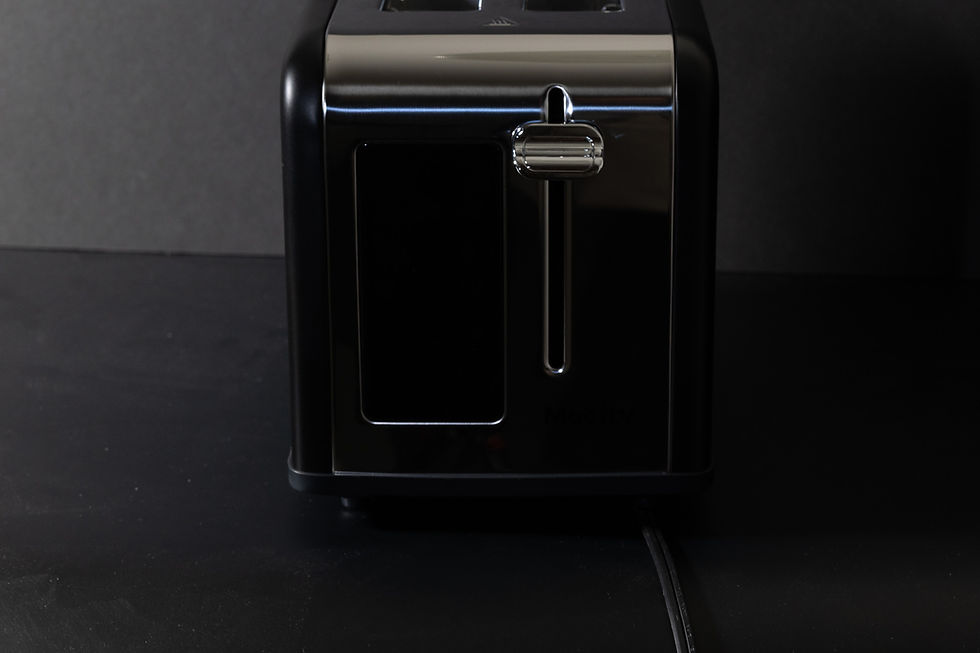
The Mecity 2 Slice Smart Toaster has an industrial aesthetic with its stainless steel and black plastic design, which gives it a practical, yet functional look that does not overpower the rest of the kitchen. The touch screen gives you a good amount of options without being too confusing or overcomplicated.
The toasting of the bread itself is a breeze; however, I have noticed some inconsistency with the toast on both sides at times, but it does well enough not to really matter to me. I do like that after you toast bread for the first time, the timer changes to accommodate the preheated toaster.
There is a little wonky setting I do want to let ya'll know about, which is the bagel setting. In this setting, the toaster only heats one side, and that is the side facing outward, so make sure when you put the bagel in the toaster its placed with the cut side facing outward!
Touch Screen

The Mecity comes with a 4.4" touch screen that has 6 settings for toast level and 6 options for bread types, which allows you to fine-tune the settings to get the exact toast you want. It also comes with 3 options at the very bottom that gives you more customizability with settings.
One of those options is the defrost button, which allows you the ability to throw frozen breads into the toaster and still get the desired toast on the bread. The second button is the reheat option that will heat up the bread for 30 seconds, just so it thaws without any toasting.
The third button is the power/cancel button, which allows you to turn it on or reset the settings to the default settings. This button is the only one that stays illuminated even if the rest of the screen is off.
The one thing that irks me is that when you hold the power/cancel button to turn it off, it still resets it back to its default setting. That means if you want it to remember the last setting you had on the toaster, you have to let it turn off by itself, which takes about 10 minutes (which I feel is way too long).
Cleaning & Storage

Cleaning the Mecity Smart Toaster is rather easy. It has a little crumb tray that is located on the back of the appliance, which all you have to do is remove and empty it. You may have to flip it upside down into a trash can from time to time because some of the crumbs get caught in the sides.
To store it, you have a handy dandy little cord storage on the bottom that you can windup the cord in. That way, you can store it without having to worry about that pesky little cord getting in the way.
Pros & Cons

Pros:
Different options- This toaster comes with 6 toast levels, 6 bread types, defrost, and reheat settings!
Timer changes after preheating- I love that it automatically changes the toast timer once the toaster toasts the first round of bread to accommodate the preheated toaster
Save the Last Setting- It does save the last used setting; however, it only does this if you don't hit the power/cancel button.
Cons:
Holding the power/cancel button still resets the settings- I find that even if you hold the button, it still resets the settings before it turns off, which is rather irritating to be honest.
10 min touch screen timer- Since you can't press the power/cancel button, you have to wait for it to turn off by itself, which takes 10 mins, and I find it is way too long! If you find a way to change this, please comment below.
Final Thoughts

The Mecity 2 Slice Smart Toaster is as pleasing to the eye as it is functional. This little toaster lets you customize it to toast just about anything you need to any level of toast you desire. I love that it has a timer so that you know exactly how much time you have to prepare your condiments and plate before it pops up.
The Mecity Smart Toaster has a permanent spot on my counter, so I would have to say it is a great purchase for me. So if you're looking for your next toaster, I think you should honestly give Mecity 2 Slice Smart Toasters a look for the versatility that this appliance gives you!
Disclaimer:
All articles on the website from reviews to information are for entertainment purposes only and not advice from professionals or experts. These are my views and opinions and the information given is accurate to the best of my abilities and as such may have errors, mistakes, and/or missing some key information. These reviews and information are my opinions and do not reflect the opinions of those I may be affiliated with. For more information please visit Disclaimer Page.
For more Reviews on products click on Product Reviews


Comments